
PasteIt for DaVinci Resolve (Free Plugin)
Move images between your clipboard and your DaVinci Resolve timeline, instantly.
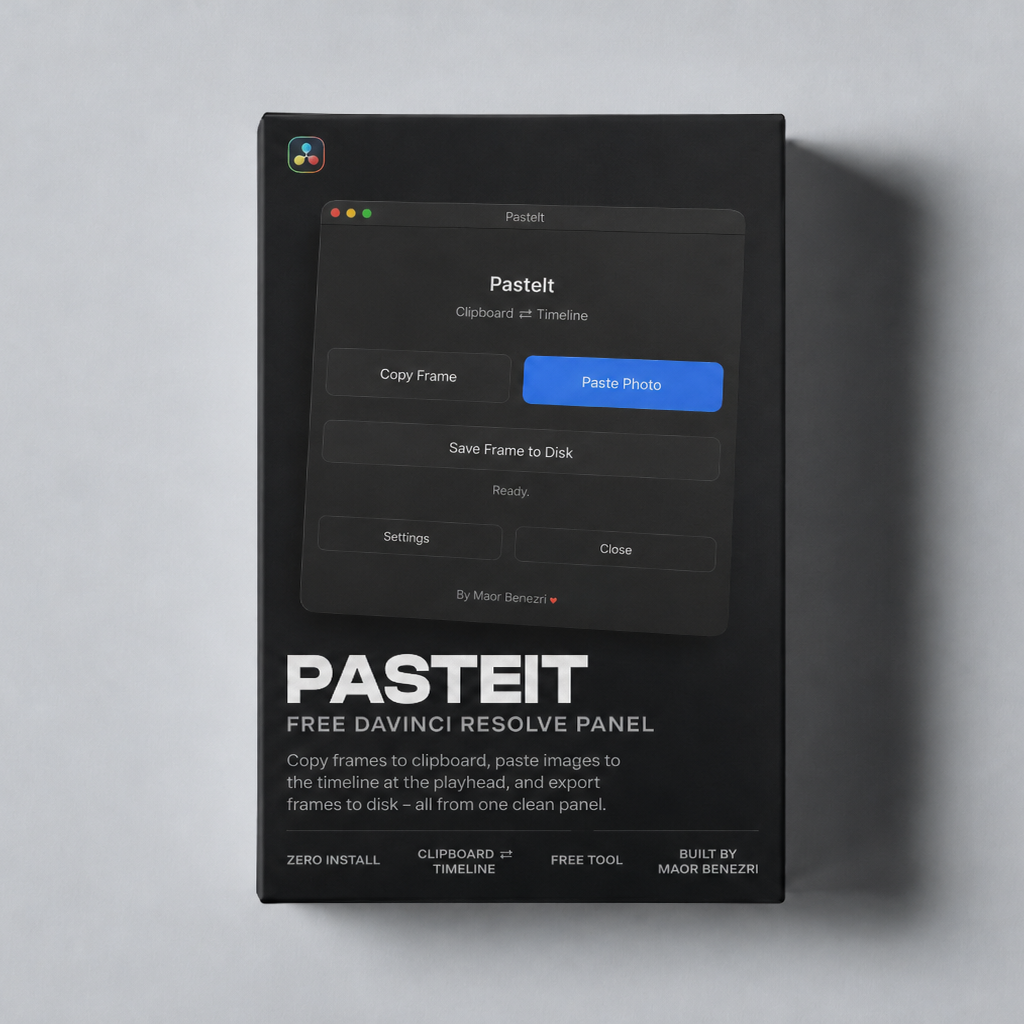
PasteIt is a free, zero-install panel for DaVinci Resolve. Copy a frame from your timeline to your clipboard, paste any image from your clipboard onto your timeline at the playhead, and export frames to disk, all from one clean panel.
What it does
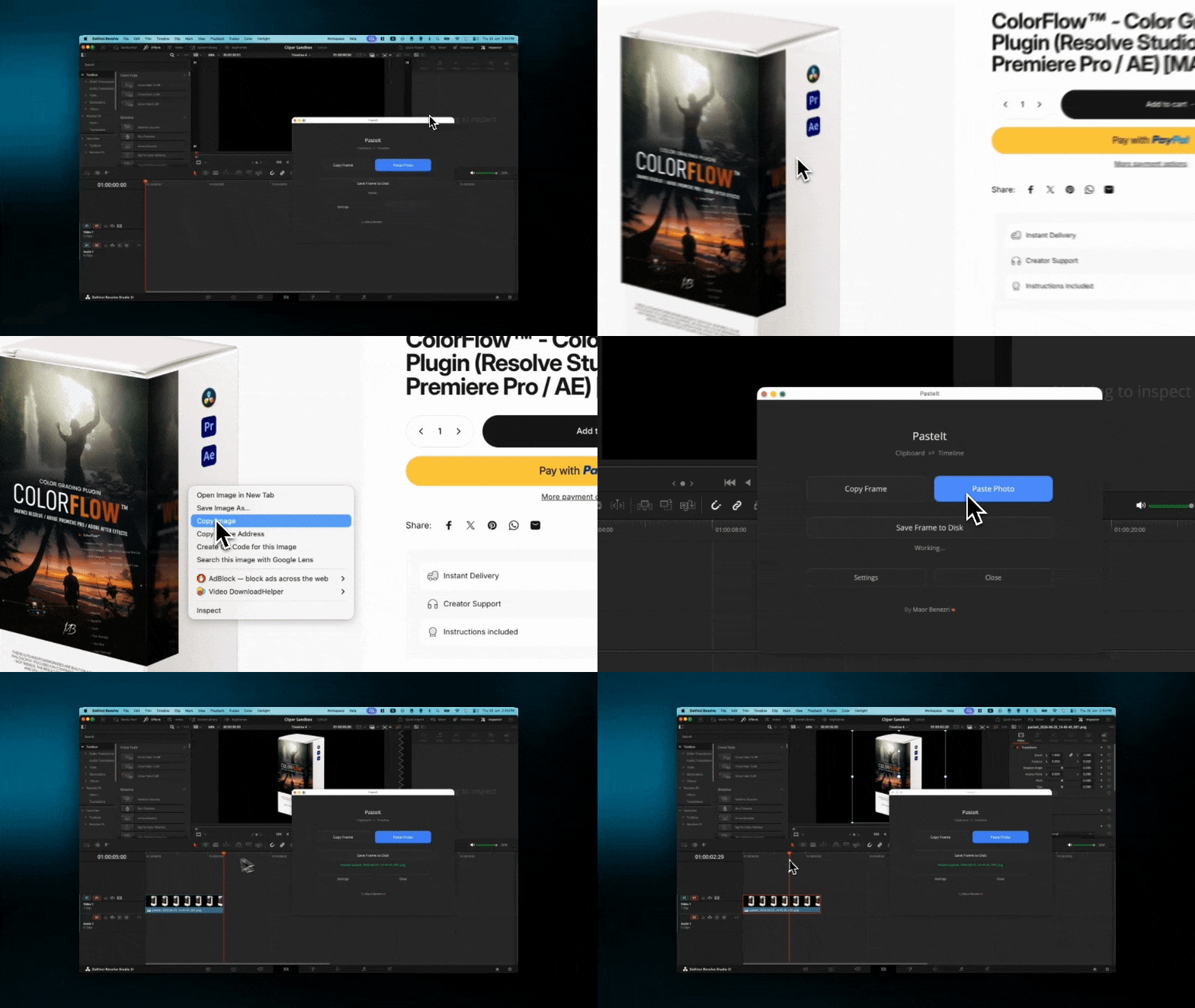
- Copy Frame: grab the current timeline frame to your clipboard (and save a copy), ready to paste into WhatsApp, a browser, or anywhere.
- Paste Photo directly into The Timline: drop any copied image or file (a browser image, a screenshot, a chat photo) onto your timeline at the playhead, on a track that has room.
- Save Frame to Disk: export the current frame with a save dialog so you choose the folder, name, and format.
Why you'll like it
- Zero install
- Works on Mac and Windows.
- Works with DaVinci Resolve 19, 20, and 21 and newer.
- A clean, native panel that stays out of your way.
Requirements
- DaVinci Resolve Studio (the paid version). The free version of Resolve does not allow script panels.
What's included
- PasteIt
- A step-by-step PDF install and user guide
Installs in seconds: drop one file into Resolve's Scripts folder, restart Resolve, and run it from Workspace > Scripts > PasteIt. Full instructions are in the included PDF.
Pairs well with
Instant Delivery
Creator Support
Instructions included
PasteIt for DaVinci Resolve (Free Plugin)
If you have any questions, you are always welcome to contact us. We'll get back to you as soon as possible, within 24 hours on weekdays.
-
Shipping Information
Use this text to answer questions in as much detail as possible for your customers.
-
Customer Support
Use this text to answer questions in as much detail as possible for your customers.
-
FAQ’s
Use this text to answer questions in as much detail as possible for your customers.
-
Contact Us
Use this text to answer questions in as much detail as possible for your customers.